
Guide
How to EQ Vocals: A Step-by-Step Guide
How to EQ vocals step by step: high-pass the rumble, cut mud and nasal honk, then add presence and air. Frequencies, Q settings and common mistakes.
To EQ vocals, start with a high-pass filter around 80 to 120 Hz, cut mud between 200 and 500 Hz and any nasal honk around 800 Hz to 1.5 kHz, then add presence around 3 to 5 kHz and air with a shelf above 10 kHz. Cut problems first with narrow moves, boost character second with broad ones, and always judge the result in the full mix rather than solo.
What vocal EQ is actually for
A vocal EQ has two jobs. The first is corrective: removing rumble, boxiness and resonances that the room, the microphone or the singer's distance from it added. The second is creative: shaping the voice so it sits in front of the track and suits the song. If you boost presence before you have removed the mud, you end up boosting the mud's harmonics too, and the vocal gets louder without getting clearer.
That is why the usual advice is subtractive before additive. Clear out what does not belong, then add only what the voice is missing. Cuts tend to be narrower and more surgical; boosts tend to be wider and gentler, because broad boosts sound more natural and narrow boosts sound like a ringing filter.
The vocal frequency map
Every voice is different, so treat these as starting points to sweep from, not settings to copy.
- Below 80 to 120 Hz: rumble. Handling noise, traffic, air conditioning and plosive thumps. Very little of a singing voice lives here, especially in a dense mix.
- 120 to 250 Hz: body and proximity. The chest of the voice. Too much, often from singing close to a directional mic, sounds boomy.
- 200 to 500 Hz: mud and box. The most common problem area. A small room adds a cardboard-box quality here.
- 800 Hz to 1.5 kHz: nasal and honk. Too much and the voice sounds like it is coming through a phone or a pinched nose.
- 2 to 5 kHz: presence and intelligibility. Where consonants and the edge of the voice live. Also where harshness lives if you overdo it.
- 5 to 9 kHz: sibilance. The S, T and SH sounds.
- 10 kHz and up: air. Breath, sparkle and openness.
Step by step: EQ a vocal with any EQ
This method works with the stock EQ in any DAW.
- Set the level first. Get the vocal roughly balanced against the track before you EQ. Louder always sounds better, so level-match as you go or you will chase loudness instead of tone.
- High-pass the low end. Use a 12 or 18 dB per octave high-pass filter. Start at 80 Hz for a deep male voice and around 100 to 120 Hz for most others, then raise it until the voice starts to thin out and back off a little. On a busy pop or rock mix you can often go higher than you would expect.
- Find and cut the mud. Boost a narrow bell (Q around 4 to 6) by 6 to 8 dB and sweep slowly between 200 and 500 Hz. When the voice sounds worst, you have found the problem. Turn the boost into a cut of 2 to 4 dB and widen the Q a little until it sounds natural.
- Check for nasal honk. Repeat the sweep between 800 Hz and 1.5 kHz. Not every voice needs a cut here; if nothing jumps out, leave it alone.
- Add presence. With a wide bell (Q around 0.7 to 1.2), boost 1 to 3 dB somewhere between 3 and 5 kHz until the words read clearly over the track.
- Add air. A high shelf at 10 to 12 kHz, boosted 1.5 to 3 dB, opens the top. If the singer is bright already, skip it.
- Bypass and compare. Match the level and flip the EQ on and off in the mix. The vocal should sound clearer and more forward, not just different.
If boosting presence and air brings up sibilance, deal with that separately with a de-esser rather than pulling the top back down. See how to de-ess vocals.
Static cuts versus dynamic cuts
Some problems only appear on certain notes or when the singer pushes. A static cut deep enough to fix the loud moments dulls the quiet ones. A dynamic EQ band cuts only when the frequency gets too loud, which is often the better tool for boominess on low notes or a harsh edge on belted lines. For resonances that ring through a whole performance, see how to fix harsh vocals and resonances.
Where an NF Audios plug-in makes it faster
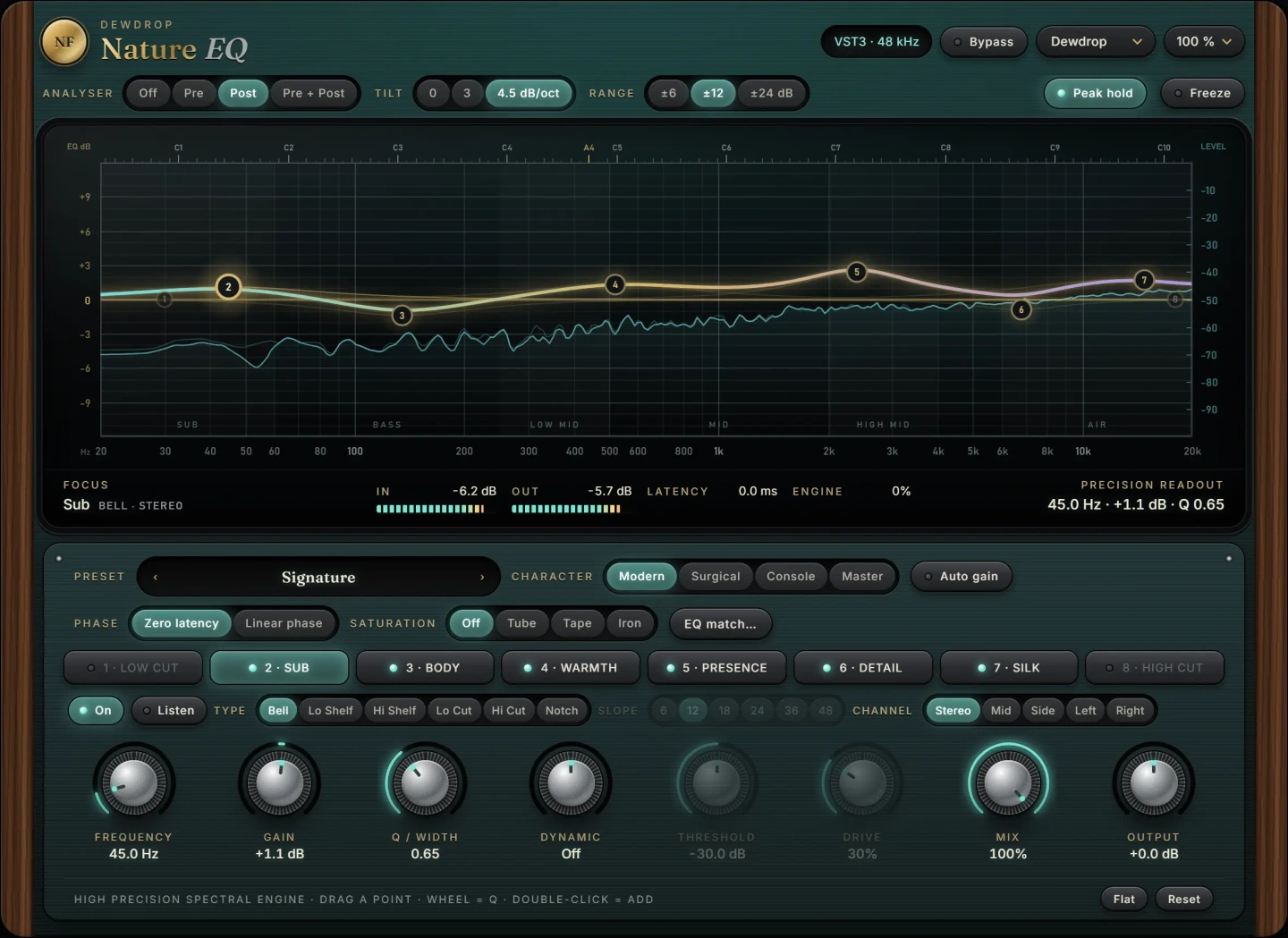
Nature EQ is an eight-band equaliser with analogue-matched filters, so bells and shelves keep their true shape right up to the top of the band. That matters on vocals because an air shelf at 12 kHz or above is exactly where ordinary digital filters get squeezed and start to sound brittle. Its bells and shelves can also be made dynamic, which covers the static-versus-dynamic choice above inside one plug-in: a static high-pass and mud cut, a dynamic band to tame low-note boom, and a broad presence boost. Every band can work on stereo, mid, side, left or right, which is useful on stereo vocal stacks where you want to clean the sides without touching the centre lead.
When you want a good vocal tone quickly rather than band by band, Lantern is built for exactly that. One wheel tightens the low end, clears the low mids, levels gently, adds warmth, presence and air, and de-esses at the bright end. It follows the same order as the method above, and you can still reach for Nature EQ afterwards for a specific resonance.
Common vocal EQ mistakes
- EQing in solo. A vocal that sounds full on its own often sounds muddy in the mix, and one that sounds thin solo often sits perfectly. Make final decisions with the track playing.
- Boosting before cutting. Adding presence to a muddy vocal makes it louder and harsher, not clearer.
- Over-cutting the low mids. Cut too much around 200 to 400 Hz and the voice loses its warmth and sounds small. If that happens, see how to make vocals sound warm.
- Narrow boosts. A tight boost of 6 dB at 4 kHz sounds like a resonance, not presence. Keep boosts broad and modest.
- Ignoring the arrangement. If the guitars or synths fill 2 to 4 kHz, a small cut there on the instruments often does more for vocal clarity than any boost on the vocal.
Questions
Should I EQ vocals before or after compression?
Both orders work. A common approach is corrective EQ first (high-pass and mud cuts) so the compressor does not react to rumble and boom, then the compressor, then a second EQ for presence and air. Boosting after compression keeps the compressor from clamping down on the frequencies you added.
What frequency should I high-pass vocals at?
Usually between 80 and 120 Hz, but it depends on the voice and the mix. Raise the filter until the vocal thins out, then back it off slightly. In a sparse acoustic mix you might stay as low as 60 to 80 Hz.
How do I make vocals clearer with EQ?
Cut mud between 200 and 500 Hz first, then add a broad 1 to 3 dB boost between 3 and 5 kHz. Clarity usually comes more from removing low-mid build-up than from adding top end.
How much should I boost or cut on a vocal?
Most corrective cuts land between 2 and 6 dB and most boosts between 1 and 3 dB. If you need more than about 6 dB of boost, the problem is often the recording or the arrangement rather than the EQ.
The plug-ins in this guide
 New
New
More guides
- How to Compress Vocals: Ratio, Attack and ReleaseHow to compress vocals: ratio, attack and release settings that work, serial compression for an even vocal, levelling vs character and…
- How to Master a Song at Home: A Step-by-Step ChainHow to master a song at home: reference tracks, honest monitoring, an EQ, density, width, clipping and limiting chain, loudness targets…
- Mid Side EQ Explained: When and How to Use ItMid side EQ explained: how M/S works, when to use it on mixes and masters, side high-pass filters, mono bass, and the phase and width…