
Guide
How to Remove Background Noise from Audio
How to remove background noise from audio: identify hiss, hum and room tone, learn a noise profile, reduce it gently without artefacts, and fix mic bleed.
To remove background noise from audio, start with the cleanest recording you can get, then use a noise reduction tool that learns the noise from a short section where nobody is speaking or playing and subtracts it from the rest. Use the gentlest setting that makes the noise unobtrusive, usually 6 to 12 dB of reduction, because pushing harder causes watery, robotic artefacts.
This guide covers the different kinds of noise, how to identify what you are dealing with, a method that works in almost any audio software, and how to handle mic bleed, which needs a different approach.
What causes background noise
Most background noise falls into a few groups, and the right fix depends on which one you have.
- Broadband hiss. Steady noise spread across the high frequencies, from microphone preamps, cheap interfaces, high gain or old tape.
- Hum and buzz. Electrical noise at 50 or 60 Hz, depending on your country, plus its harmonics. Usually caused by ground loops, unbalanced cables or nearby power supplies.
- Room tone and air conditioning. Steady low and mid-frequency rumble from fans, computers, traffic and ventilation.
- Intermittent noise. Clicks, door slams, dogs, chairs and mouth noises. These are not steady and need editing or dedicated repair tools.
- Bleed. Other instruments or voices leaking into a microphone. This is not noise in the usual sense, because it is musical and changes all the time.
How to diagnose the noise
Find a section of the recording where the main source is silent, such as the gap before someone speaks. Solo it and turn it up. Ask:
- Is it steady? If it sounds the same from second to second, it is a good candidate for noise reduction.
- Is it high or low? Hiss sounds like a soft "shhh". Hum is a low tone. Air conditioning is a broad rumble.
- Is it another instrument? If you can hear drums or a band, that is bleed, covered further down.
A spectrum analyser on the silent section shows hum as narrow spikes at 50 or 60 Hz and their multiples, and hiss as a raised, fairly flat high end.
Step by step: removing background noise with any tools
- Prevent it next time. Turn off fans and air conditioning while recording, keep the microphone close to the source, set input gain sensibly, and use balanced cables. Every decibel you avoid is one you do not have to remove.
- Edit out the gaps. In spoken word, cutting or fading the silences between phrases removes a lot of perceived noise with no artefacts.
- Filter what is outside the source. A high-pass filter around 60 to 100 Hz removes rumble below most voices. For hum, narrow notch cuts at 50 or 60 Hz and a few harmonics can help.
- Capture a noise profile. Select half a second to a few seconds of noise only, with no speech, breath or music, and let your noise reduction tool learn it.
- Apply gently. Start with about 6 dB of reduction and increase slowly. Stop when the noise is no longer distracting, not when it is gone. Listen to the voice or instrument, not just the gaps.
- Check for artefacts. Listen for warbling "underwater" tones, swirly high end or dulled consonants. If you hear them, reduce the amount.
- Two light passes beat one heavy one. If the noise is very loud, two gentle passes often sound cleaner than one aggressive setting.
- Do it early in the chain. Noise reduction belongs before compression, because compression brings the noise floor up between phrases.
A noise gate or expander is a simpler alternative for steady noise in pauses, but it only works between phrases. The noise is still there under the voice.
Where NF Audios plug-ins make it faster
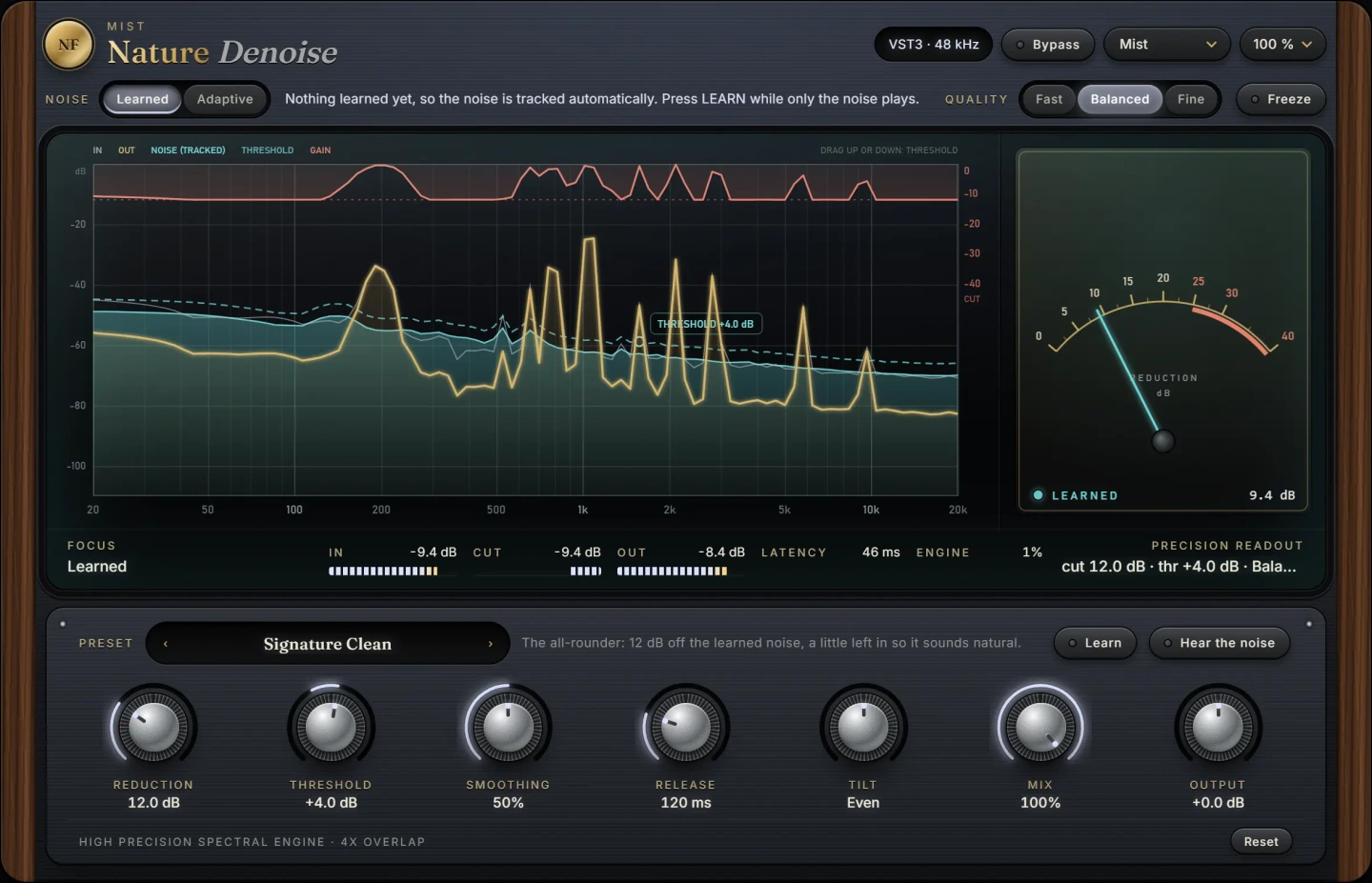
Nature Denoise takes steady noise out of a recording: hiss, hum, air conditioning and room tone. Show it a moment of the noise alone and it learns what to remove, which matches the profile method above. If there is no clean gap to learn from, or the noise changes slowly over a long recording, you can let it follow the noise floor by itself instead. It runs as a VST3 plug-in on macOS and Windows, so you can use it on the track and adjust it in context rather than processing a file offline.
Removing mic bleed
Bleed needs a different approach, because the unwanted sound is another instrument that changes all the time. Traditional fixes are gating, careful microphone placement and EQ, but they all have limits: a gate cannot remove the band from under a vocal, and EQ removes the wanted sound too.
Nature Debleed takes the neighbours out of a microphone, such as the kick in the snare microphone or the band in the vocal microphone. Give it the track of the instrument that leaks in and it removes just that. This is useful for live recordings and sessions where everyone played in one room.
Once the noise is under control, the rest of your vocal chain will behave better too. See how to make vocals sound warm for the next steps.
Common mistakes
- Removing all of the noise. A small amount of quiet, steady noise is far less noticeable than artefacts. Aim for unobtrusive, not silent.
- A bad noise profile. If the sample includes breaths, speech or music, the tool learns to remove those too.
- Compressing before denoising. Compression raises the noise floor and makes it less steady, which is harder to remove cleanly.
- Judging on laptop speakers only. Artefacts and low hum are easy to miss on small speakers. Check on headphones.
- Expecting it to fix intermittent noise. Steady-noise tools are not designed for door slams or clicks. Edit those out or use dedicated repair tools.
Questions
How do I remove background noise from audio for free?
Many DAWs and free audio editors include a basic noise reduction effect that works with a noise profile. Combine it with a high-pass filter and editing the silences, and use gentle settings to avoid artefacts.
Can you remove background noise without affecting the voice?
Mostly, if the noise is steady and much quieter than the voice. The louder the noise is relative to the voice, the more the voice will be affected. Recording cleanly is always the best fix.
How do I remove hum from a recording?
Hum sits at 50 or 60 Hz plus harmonics. Narrow notch cuts at those frequencies, or a noise reduction tool that learns the hum, will remove it. Fix the cause too: check cables, grounding and nearby power supplies.
What is the difference between noise reduction and a noise gate?
A gate mutes the signal when it falls below a threshold, so it only hides noise in the pauses. Noise reduction removes the noise continuously, including under the voice.
The plug-ins in this guide
 New
New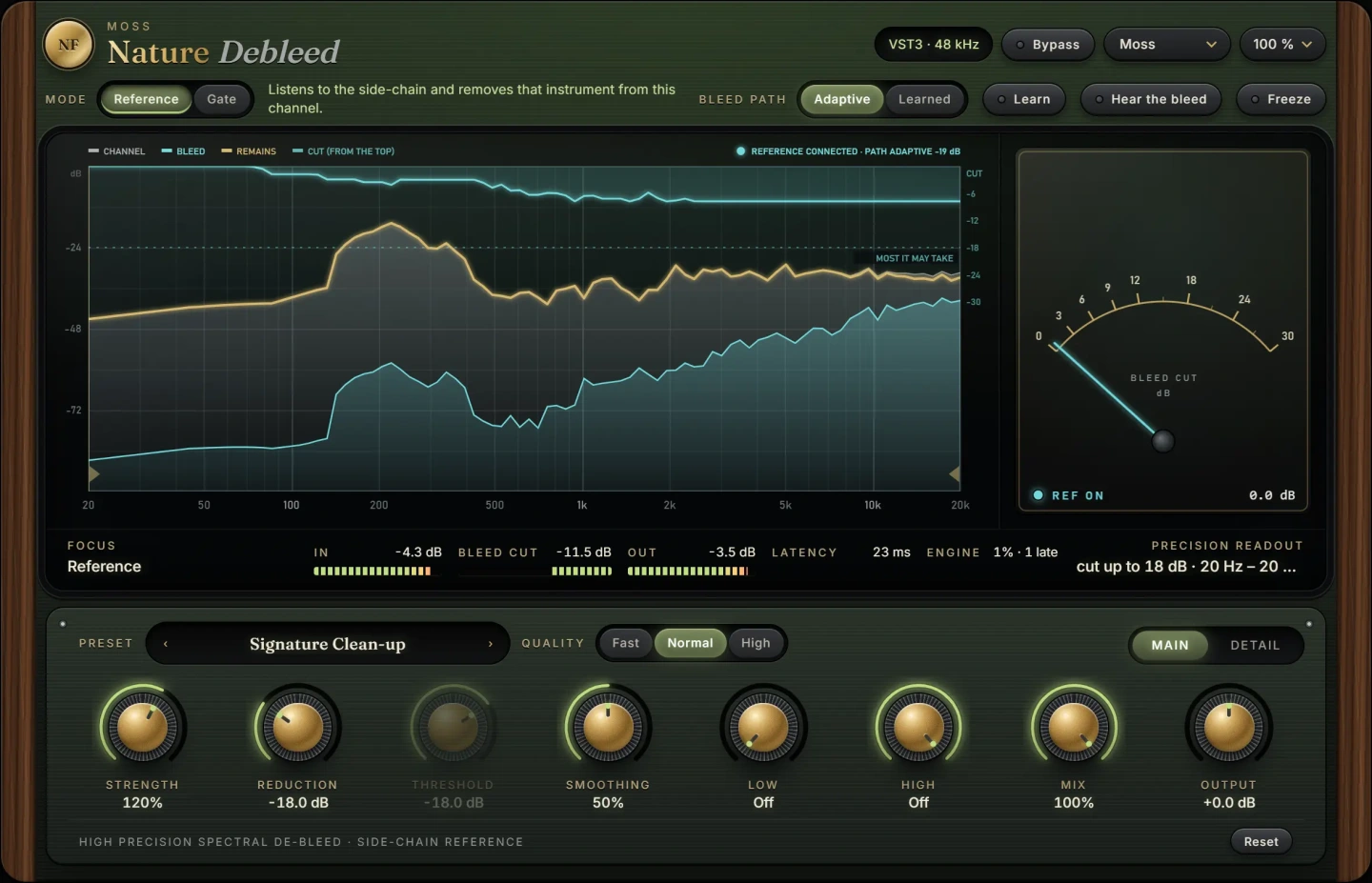 New
NewMore guides
- How to Remove Mic Bleed From a RecordingHow to remove mic bleed: prevent it at the session, then use gating, EQ, phase alignment, expanders and dedicated tools on drums, vocals…
- Delay on Vocals: Slapback, Throws and Tape vs DigitalHow to use delay on vocals: slapback, 1/8 and 1/4 note throws, filtering and ducking the repeats, plus tape delay vs digital delay and…
- How to Compress Vocals: Ratio, Attack and ReleaseHow to compress vocals: ratio, attack and release settings that work, serial compression for an even vocal, levelling vs character and…