
Guide
Half Time Effect: How to Slow Down a Beat
How to make a half time effect and slow down a beat without changing tempo: half-time vs halving BPM, tape-stop, and keeping the downbeat on the grid.
A half-time effect makes a beat feel half as fast while the song's tempo stays the same. The usual way is to play the audio back at half speed in short loops that restart on the beat, or to rearrange the drums so the snare lands on beat 3 instead of 2 and 4. Done well, the bar lines and downbeats stay locked to the grid, so you can drop in and out of half-time without the track falling apart.
Half-time vs halving the tempo
Halving the tempo changes the clock of the whole project. A 140 BPM song set to 70 BPM moves every bar line, every delay time and every automation point, and everything after the change is out of step with what came before. Half-time is a feel. The grid stays at 140 BPM, but the groove takes twice as long to unfold, so it reads as 70. That is why half-time is so useful in trap, dubstep, drum and bass and pop breakdowns: the energy drops dramatically, yet the next section lands exactly where the listener expects it.
Three ways to get the effect
- Rewrite the drums. Move the snare from beats 2 and 4 to beat 3, and thin the kick pattern. This is the cleanest musical half-time and needs no processing, but only works when you have MIDI or separate drum parts.
- Slow the audio down. Play a stretch of audio at half speed. With pitch following the speed it drops an octave, like a slowed record; with time-stretching it keeps its pitch. This works on full loops, stems and even whole mixes.
- Tape-stop. A gradual slowdown, pitch and speed falling together, to a stop. It is a transition effect rather than a sustained half-time section, often used just before a drop.
Step by step with any DAW
- Pick the section. Choose one or two bars, often the last bars before a drop or a full eight-bar breakdown.
- Bounce or consolidate the audio. Work on a printed drum loop or stem so processing is predictable.
- Slow it to 50 percent. In most DAWs you can set the clip's speed or warp to half, or stretch the clip to twice its length. Choose whether pitch drops with it. For a darker, heavier sound, let it drop an octave; for a cleaner groove, keep pitch with a quality time-stretch mode.
- Keep the downbeat. A slowed one-bar loop now lasts two bars. Trim it so it starts exactly on the first hit and restarts on the bar line, otherwise the kick drifts away from the grid. For longer half-time sections, re-trigger the slowed loop every bar or two from the downbeat.
- Clean up the result. Slowed audio exposes noise and long tails. A short fade at each loop point avoids clicks, and a high-pass can remove sub rumble that has dropped below the useful range.
- Return to full speed on the one. End the half-time section exactly on a bar line so the next section hits on beat 1. A quick tape-stop or a filter sweep into that point helps sell the change. See how to make an underwater sound effect for a filter transition that pairs well.
Tape-stop by hand
Automate the clip's playback speed or pitch from 100 percent down to near zero over a quarter or half note, using a curve that starts slowly and falls faster. Add a short fade at the end. Many DAWs also include a stock pitch or vari-speed effect that can do this with automation.
Where Dripstone makes it faster
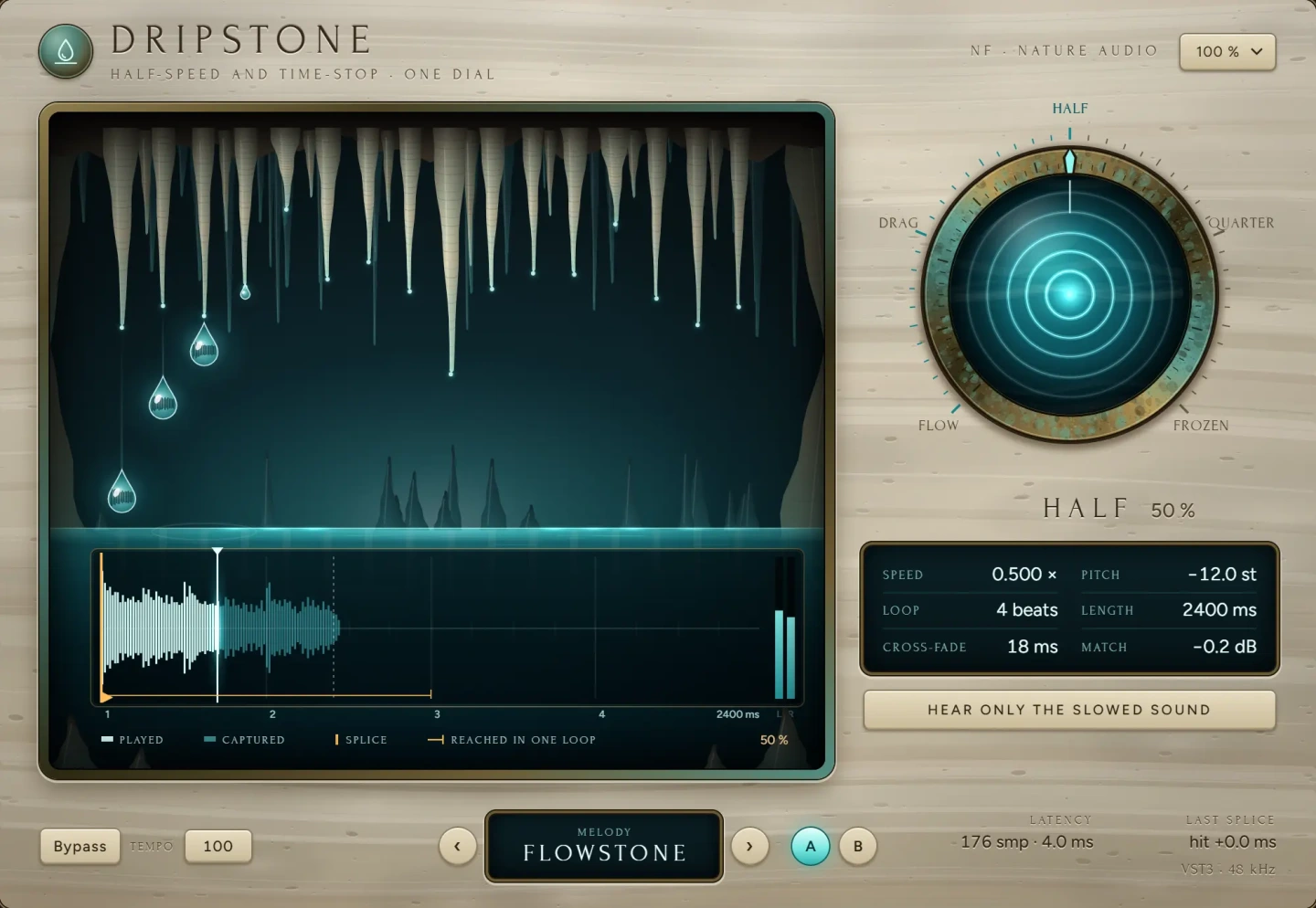
The fiddly part of audio half-time is keeping the loops on the grid. Dripstone slows time on one dial: from a slight drag, through exact half and quarter speed, to a frozen moment. Each loop starts on the hit nearest the bar line, so the first beat stays where it was. That covers the hardest step in the method above without trimming and re-triggering clips by hand. Because the range goes from a subtle drag to a full freeze, one automation lane can take a beat from normal, into a dragging half-time, down to quarter speed and finally to a stopped moment before the drop. It is available as VST3 for macOS and Windows.
Common mistakes
- Changing the project tempo. This moves everything after it. Keep the tempo and change the feel.
- Losing the downbeat. If the slowed loop does not start on the first hit, the kick lands between grid lines and the section feels broken rather than heavy.
- Slowing the whole mix for too long. Vocals slowed an octave down are rarely what you want for more than a bar or two. Apply half-time to drums and music, and mute or keep the vocal dry.
- Muddy low end. A kick and bass that drop an octave can become a rumble below 30 Hz. High-pass or re-balance it.
- Clicks at loop points. Add short fades at every join.
Questions
What is a half-time beat?
A beat where the snare or backbeat lands on beat 3 instead of 2 and 4, so the groove feels half as fast while the tempo stays the same. A 140 BPM half-time beat feels like 70 BPM.
How do I slow down a beat without changing the pitch?
Use your DAW's time-stretch or warp function to play the clip at 50 percent speed with pitch preserved. Choose a mode designed for drums or rhythmic material to keep the hits sharp.
What is the difference between half-time and double-time?
Half-time makes the groove feel twice as slow at the same tempo; double-time makes it feel twice as fast, for example by moving the snare to every beat or doubling the hi-hats.
How do I make a tape-stop effect?
Automate playback speed and pitch together from normal down to zero over a short time, usually a quarter or half note, with a curve that falls faster at the end, then fade out.
The plug-ins in this guide
 New
NewMore guides
- Delay on Vocals: Slapback, Throws and Tape vs DigitalHow to use delay on vocals: slapback, 1/8 and 1/4 note throws, filtering and ducking the repeats, plus tape delay vs digital delay and…
- How to Compress Vocals: Ratio, Attack and ReleaseHow to compress vocals: ratio, attack and release settings that work, serial compression for an even vocal, levelling vs character and…
- How to EQ Vocals: A Step-by-Step GuideHow to EQ vocals step by step: high-pass the rumble, cut mud and nasal honk, then add presence and air. Frequencies, Q settings and common…