
A port, in a click.
Make a MIDI port, give it a name, and your DAW, your synth editors and your controller software all talk through it. Watch every message as it passes.
Make one. Name it. Done.
Each port is a MIDI input and output that every program on the computer can use. What goes in comes straight back out.
- Made by Windows 11 itself: no driver, no administrator prompt
- Turn a port on and off without losing its place in your programs
- Ports come back by themselves after a crash or a restart
- Close the window and Midi Gate keeps your ports open from the tray
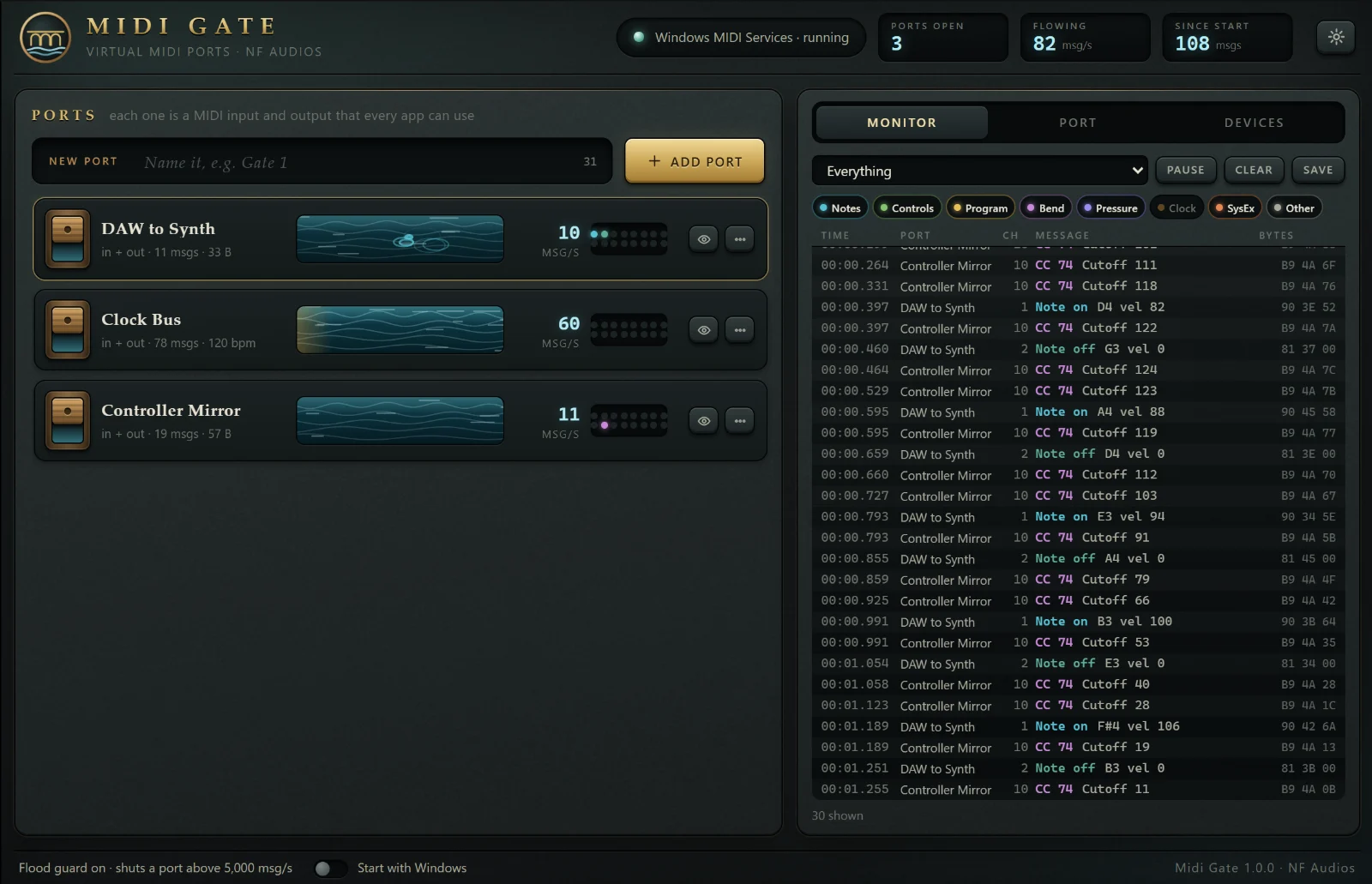
Small program. Nothing missing.
A monitor that reads
Every message by port, channel and meaning: notes, controls, programs, bend, clock and SysEx, each in its own colour.
Filters, port by port
Leave out clock, active sensing, SysEx or single channels on one port and keep them on the others.
Joins
Pour one port into others, so one source reaches every program that needs it.
A feedback guard
A port caught in a loop is shut before it floods your setup, and opens again by itself once it is quiet.
Tempo at a glance
Send MIDI clock through a port and Midi Gate shows the tempo it carries.
Starts with Windows
If you want it to: your ports are ready before you open your music software.
Three steps, one minute.
Make a port
Type a name, press Add port. It appears in every MIDI program on the computer.
Pick it on both sides
Choose the port as an output in one program and as an input in the other.
Watch it flow
Play, and see each message pass in the monitor. Filter what you don't need.
The connections you make every day.
DAW to synth editor
Your DAW plays the editor's sounds and the editor's knobs record back.
Controller software
A controller's own program passes its MIDI on to your DAW.
One clock for all
One program leads the tempo and the others follow it.
One to many
A join sends one player to several programs at once.
What you need.
- Runs on
- Windows 11, 64-bit · macOS 11 Big Sur or later (Apple Silicon and Intel); on Windows, with Windows Update current
- Also needs
- On Windows, Microsoft WebView2 (the installer fetches it if it is missing)
- Ports
- Made by Windows MIDI Services: no driver, no admin prompt. On a Mac, Core MIDI ports: no driver
- Works with
- Any program that uses MIDI ports
- Price
- Free, no time limit
- Get it
- In the NF Audios Center, with a free NF ID
- On a Mac
- On a Mac, install it with NF Audios Center: sign in with your NF ID and choose Get.
- Windows 10
- Not supported: Windows 10 has no Windows MIDI Services
Midi Gate, answered.
Is it really free?
Yes. The whole program, no time limit, no ads. You only need a free NF ID to get it in the NF Audios Center.
Will my DAW see the ports?
Yes. Any program that uses MIDI sees Midi Gate ports as ordinary MIDI inputs and outputs.
Do I need to install a driver?
No. On Windows 11, Midi Gate asks Windows to make its ports. Keep Windows Update current, because that is how Windows gets the part that makes them.
What if a port gets caught in a loop?
The feedback guard shuts a port flooded with messages, and opens it again once it has been quiet for a second.
Does it work on a Mac?
Yes, macOS 11 or later. On a Mac it is installed through NF Audios Center.
Your first port is a minute away.
Get Midi Gate in the NF Audios Center. It costs nothing, for good.