
Read me first
How to install on Mac
About two minutes, once. You'll need your Mac password. The same steps work for every NF Audios plug-in; the pictures show Nature Strata.
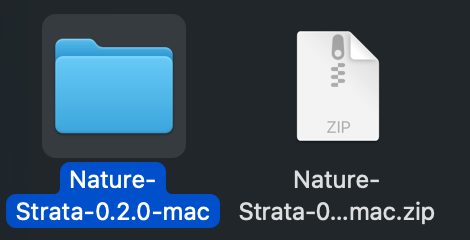
1 Unzip the download
Double-click the .zip file in your Downloads folder (Safari often does this for you). You get a folder with the installer (.pkg) and this guide.
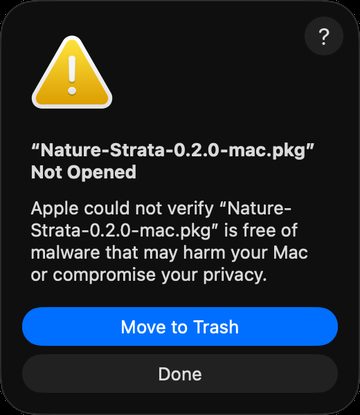
2 Double-click the installer, then click Done
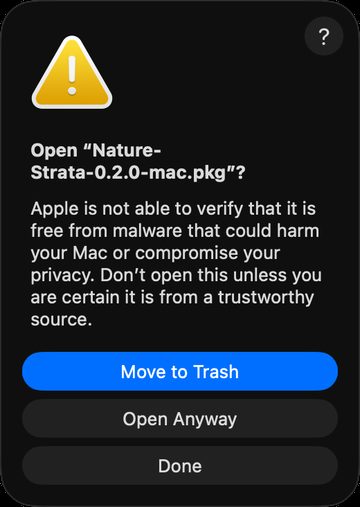
Double-click the .pkg file. macOS shows “Not Opened” and “Apple could not verify…”.
Click Done. (Not Move to Trash.)
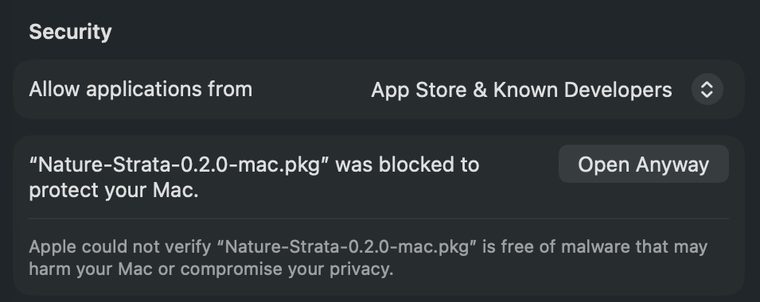
3 Privacy & Security › Open Anyway
Open System Settings › Privacy & Security and scroll down to Security. Next to “…pkg” was blocked to protect your Mac, click Open Anyway.
4 Confirm and enter your Mac password
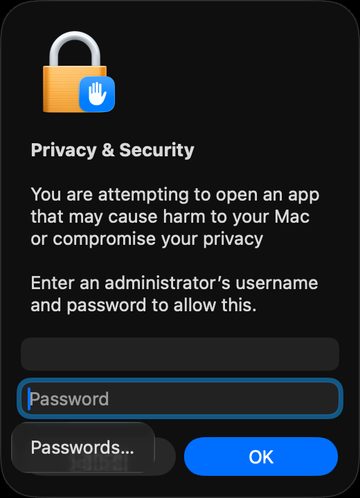
Click Open Anyway in the box that appears.
Then enter your Mac login password (or use Touch ID) and click OK. This allows this one installer only.
5 Install
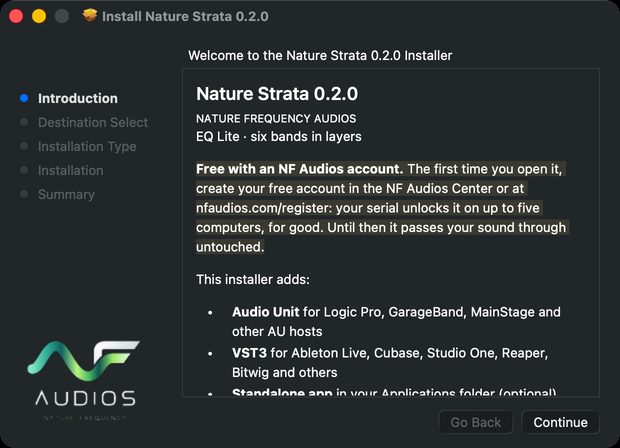
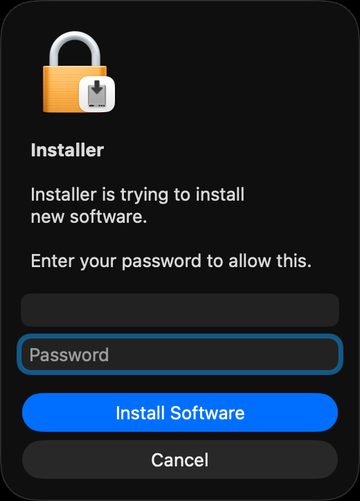
The NF Audios installer opens. Click Continue, then Install. macOS asks for your password once more: enter it and click Install Software.
Optional: Customize lets you leave out a format (Audio Unit, VST3 or the standalone app).
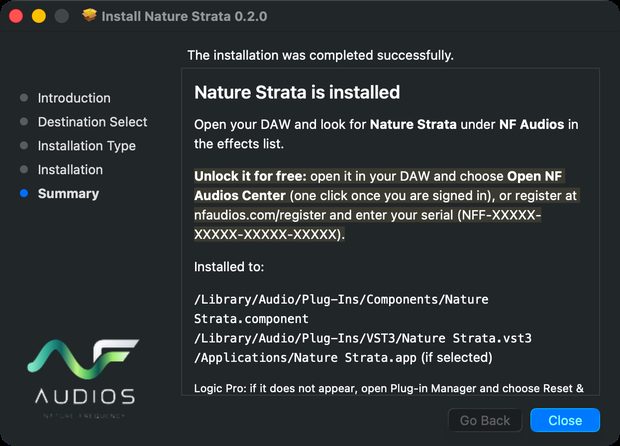
6 Done. Here's where it went
- Audio Unit (Logic Pro, GarageBand, MainStage):
/Library/Audio/Plug-Ins/Components - VST3 (Ableton Live, Cubase, Studio One, Reaper, Bitwig…):
/Library/Audio/Plug-Ins/VST3 - Standalone app (if included):
/Applications
You can delete the zip and the folder now.
7 Find it in your DAW
- Logic Pro / GarageBand / MainStage: quit and reopen. Plug-ins are under Audio Units › NF Audios. Not there? In Logic: Logic Pro › Settings › Plug-in Manager, select it and click Reset & Rescan Selection.
- Ableton Live: Settings › Plug-Ins, turn on Use VST3 Plug-in System Folders, then click Rescan (hold Option while clicking for a full rescan). Look under Plug-Ins › VST3 › NF Audios.
- Other DAWs: run the DAW's plug-in rescan; NF Audios plug-ins are in the system VST3 folder above.
8 Activate
- Free plug-ins: open the plug-in and choose Open NF Audios Center, or sign in to your free NF ID at nfaudios.com/register and enter your free serial (
NFF-…). Until then it passes sound through untouched. - Bought plug-ins: enter the licence key from your order email (
NFA-…). It's also in My account on nfaudios.com.
Older macOS: Ventura (13) or Sonoma (14)
Hold Control and click the .pkg (or right-click it), choose Open, then Open again. The installer starts. If there's no Open button, use steps 2–4 above; they work on these versions too. NF Audios plug-ins need macOS 11 Big Sur or later.
Apple silicon or Intel?
Either. One installer works natively on both Apple silicon (M-series) and Intel Macs; no Rosetta needed.
For Terminal users Optional
Instead of steps 2–4 you can remove the download mark from the installer, then double-click it. Only if you're comfortable with Terminal; the steps above do the same thing. Example (change the path to your file):
xattr -d com.apple.quarantine ~/Downloads/Nature-Strata-0.2.0-mac/Nature-Strata-0.2.0-mac.pkg
Something not right?
“Damaged and can't be opened” is the same check shown differently: use steps 2–4, or the Terminal line above. To remove a plug-in later, delete its files from the folders in step 6. Still stuck? Email contact@nfaudios.com with your macOS version and a screenshot. We'll walk you through it.