
Guide
What Is Saturation in Mixing? How to Use It Well
What is saturation in mixing? Learn how harmonics, tape, tube and transistor colour, parallel blends and oversampling help you add warmth without grit.
Saturation in mixing is gentle distortion: it adds new harmonics above the notes you already have, which makes a sound feel warmer, denser and easier to hear at low volume. Use it in small amounts on individual tracks and buses, blend it in parallel when you want weight without losing punch, and check that your saturator oversamples so the added harmonics stay clean.
What saturation actually does
Any device pushed past its clean range starts to bend the waveform. That bending creates harmonics: extra frequencies at whole-number multiples of the original note. A 100 Hz bass note gains energy at 200 Hz, 300 Hz, 400 Hz and so on. Those overtones are why a saturated bass is audible on a phone speaker that cannot reproduce 100 Hz at all. Your ear hears the harmonic series and fills in the fundamental.
Saturation also rounds off peaks. Because the loudest moments are squashed slightly more than the quiet ones, the sound gets a little denser, similar to a touch of fast compression. That is the reason a saturated drum bus can sound louder at the same peak level.
Even and odd harmonics
- Even harmonics (2nd, 4th) sit an octave and two octaves above the note. They tend to sound smooth and full. Asymmetric circuits, such as many tube stages, produce more of them.
- Odd harmonics (3rd, 5th) add an edgier, more forward tone. Symmetric clipping, typical of transistor and op-amp stages, leans this way.
Real hardware produces a mix of both, and the balance shifts with how hard you drive it. Treat these as tendencies, not rules.
Tape, tube and transistor flavours
- Tape softens transients, compresses gently and often rolls off a little top end. It glues buses and makes drums feel less spiky. The guide on vintage tape and lo-fi sound goes further into that character.
- Tube adds warm low-order harmonics and a sense of thickness. It suits vocals, bass and anything that sounds thin.
- Transistor saturation is tighter and brighter, with more bite when pushed. It works well on drums, guitars and synths that need to cut through.
- Hard clipping flattens peaks abruptly. It is useful for loudness and aggressive tones, but it generates many high harmonics, which makes the next topic important.
Aliasing and why oversampling matters
Harmonics keep going up the spectrum. When a plug-in creates harmonics above half the sample rate (the Nyquist frequency, about 22 kHz at 44.1 kHz), they cannot be represented, so they fold back down as inharmonic tones. This is aliasing. It sounds like a grainy, metallic haze that has no musical relationship to the note, and it is most obvious on bright, sustained sources and high notes.
Oversampling fixes most of it. The plug-in runs internally at two, four or more times the session rate, generates its harmonics there, filters off everything above the audible range and then returns to the session rate. If your saturator offers oversampling, use at least 2x for mixing and 4x for heavy drive on bright material. Expect more CPU use in exchange.
How to use saturation, step by step
- Pick one job. Decide whether you want warmth, presence, density or audibility on small speakers. Each points to a different flavour and amount.
- Set the input and output gain first. Saturation depends on level. Drive the input until you just hear a change, then lower the output so the processed signal matches the bypassed level. Without matching, louder will always sound better and you will overdo it.
- Start subtle. On individual tracks, aim for a change you notice when bypassing but would not describe as distortion. A good test is to turn the drive up until it is obvious, then back it off by half.
- Use the mix control for parallel saturation. Blending 20 to 40 percent of a heavily driven signal under the clean one gives harmonics and weight while the clean transients stay intact. This is especially effective on drums and bass. If your plug-in has no mix knob, put it on an auxiliary send instead.
- Filter around it. A high-pass filter before the saturator stops sub energy from driving the stage too hard. A gentle low-pass after it tames fizz if the top gets harsh.
- Spread it across the mix. A little on several tracks plus a touch on the bus usually sounds more natural than a lot on one channel.
Exciters: saturation aimed at the top
An exciter is a focused saturator. It splits off a band, usually the upper mids and highs, creates harmonics from that band alone and blends them back in. The result is extra clarity and air without boosting the original signal with EQ, which can sound brittle. Exciters are useful on dull recordings, vocals that sit behind the mix and pads that need sparkle. Some also work on the low end, adding harmonics of bass notes so they translate to small speakers.
Where NF Audios plug-ins make it faster
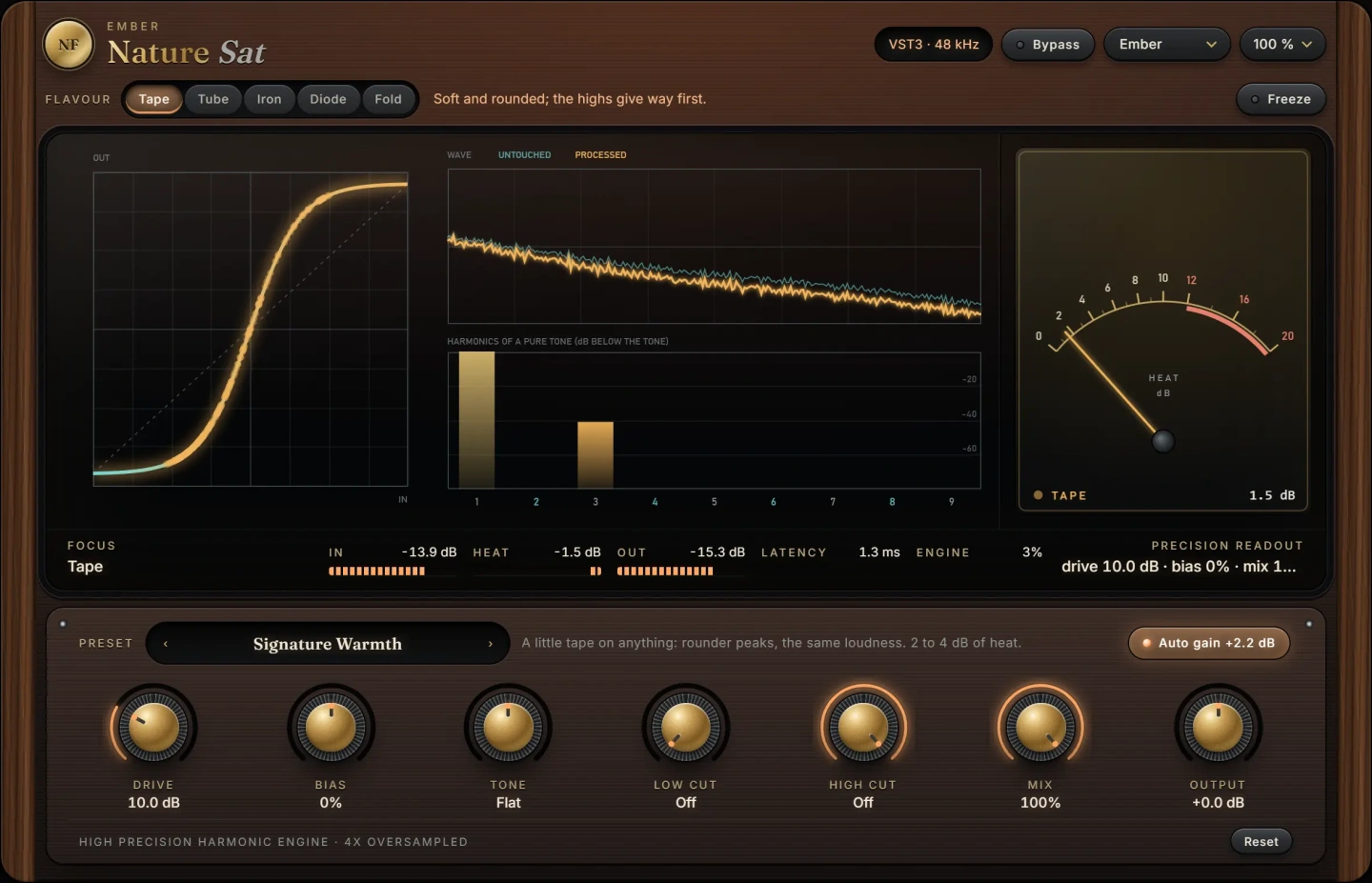
Nature Sat adds harmonics anywhere from a little warmth to fire, with five flavours that run at four times the sample rate. That built-in oversampling means what it adds stays musical instead of folding back as digital grit, so you can push bright sources without worrying about the aliasing described above. Use the gain-matching steps above with it as you would with any saturator.
FireLeaf is an exciter on one dial. It never touches the sound you give it and only adds beside it: first air, lifted more when the moment is dull and less when it is already bright, then fire, new harmonics made from the upper band. On two of its leaves it also adds root, harmonics of the low notes. That makes it a quick fix for a dull vocal or a bass that disappears on laptop speakers. Both run as VST3 on macOS and Windows.
Common mistakes
- Not level matching. Most saturation decisions made at a higher output level are wrong.
- Stacking too much. Five tracks of moderate saturation feeding a saturated bus feeding a saturated master adds up to mush. Listen to the whole mix, not each channel in solo.
- Saturating the sub. Driving 30 to 60 Hz energy creates intermodulation that muddies everything above it. High-pass into the saturator or use a mix control.
- Ignoring aliasing. If a hi-hat or vocal starts to sound grainy rather than warm, enable oversampling or lower the drive.
- Using saturation to fix a level problem. If a part is simply too quiet, raise the fader first.
For vocals specifically, the guide on making vocals sound warm and present shows how saturation fits with EQ and compression.
Questions
What is the difference between saturation and distortion?
They are the same process at different intensities. Saturation usually means subtle, mostly low-order harmonics that you feel more than hear. Distortion means the effect is obvious and part of the sound.
Should I put saturation before or after EQ?
Both work. EQ before the saturator changes what gets driven, so boosting the mids makes the mids distort more. EQ after shapes the result. A common chain is high-pass, saturation, then corrective EQ.
Does saturation make a mix louder?
It can make it sound louder at the same peak level, because it rounds off peaks and adds harmonic density. At matched loudness, the benefit is tone and translation, not volume.
Is saturation good on the master bus?
A small amount of tape or tube saturation on the master can add cohesion. Keep it subtle, gain match carefully and compare at the same loudness before committing.
The plug-ins in this guide
 New
New New
NewMore guides
- How to Make Vocals Sound Warm and PresentHow to make vocals sound warm and present: clear mud, add body around 200 Hz, tame harsh upper mids, saturate lightly and compress for a…
- How to Make Music Sound Vintage: Lo-Fi Tape EffectHow to make music sound vintage with a lo-fi tape effect: wow and flutter, saturation, band-limiting and noise, step by step with any…
- Delay on Vocals: Slapback, Throws and Tape vs DigitalHow to use delay on vocals: slapback, 1/8 and 1/4 note throws, filtering and ducking the repeats, plus tape delay vs digital delay and…